Your budget on a calendar
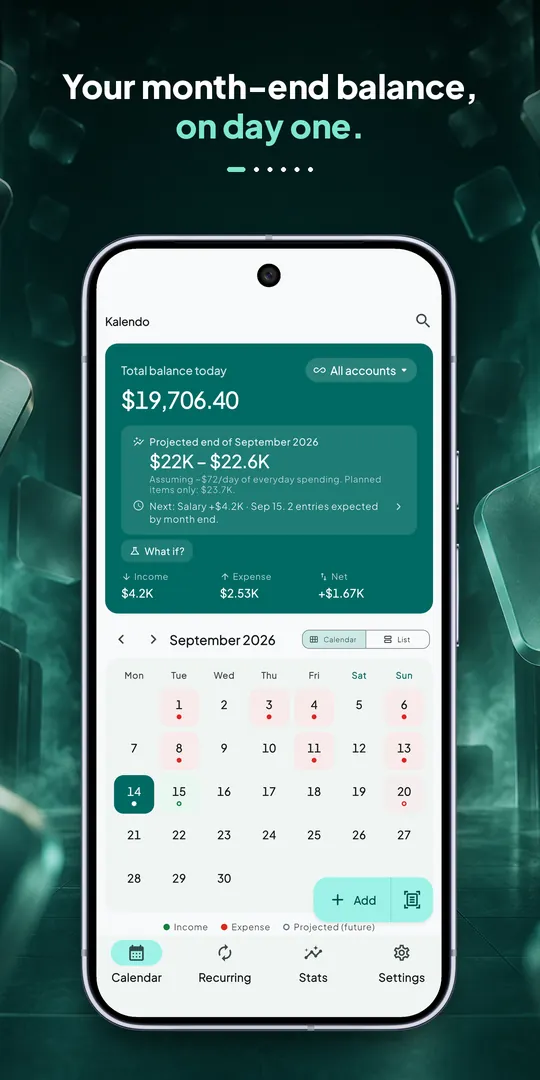
A month grid with income and expense marks on every day. Today's balance and the month-end forecast side by side.



 Kalendo · Budget calendar
Rent, salary, subscriptions: enter them once. Kalendo spreads them across the calendar and works out your balance for every single day — so “can I afford this on the 20th?” is answered on screen.


Try it — tap a day, then “What if?”
Balance today
$0.00
· Month end
, day by day · drag the line to move through the month
On this day
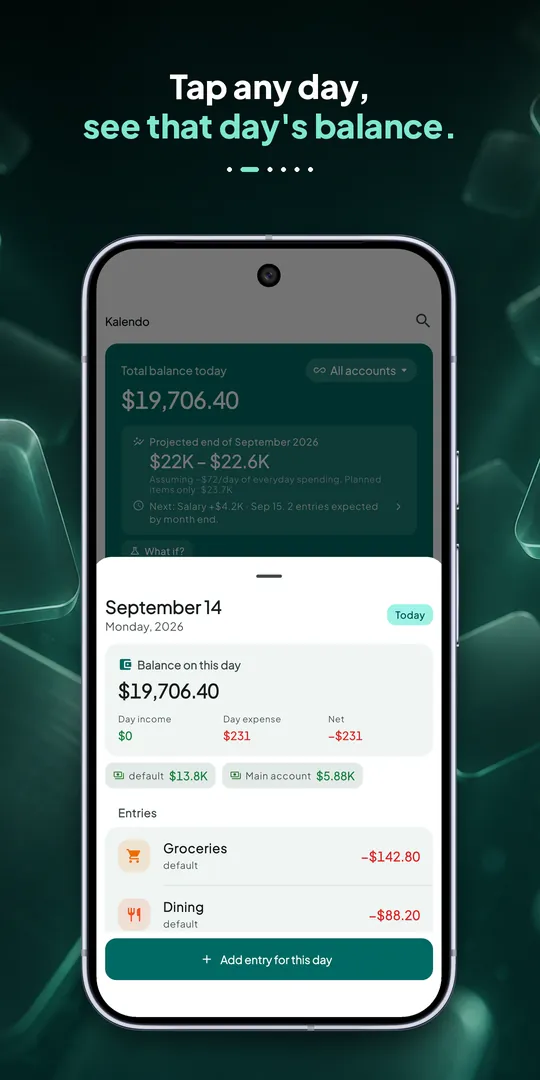
Tap any day to see what you'll have left
Inside the app
Features
A month grid with income and expense marks on every day. Today's balance and the month-end forecast side by side.
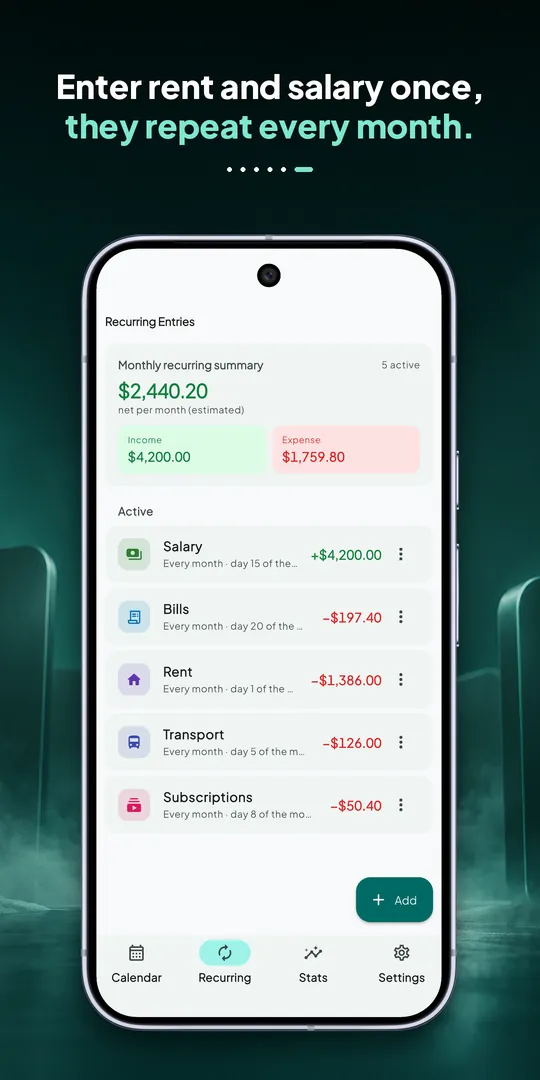
Daily, weekly, monthly and yearly rules. Salary, rent and subscriptions come back on their own, with a reminder before they're due.
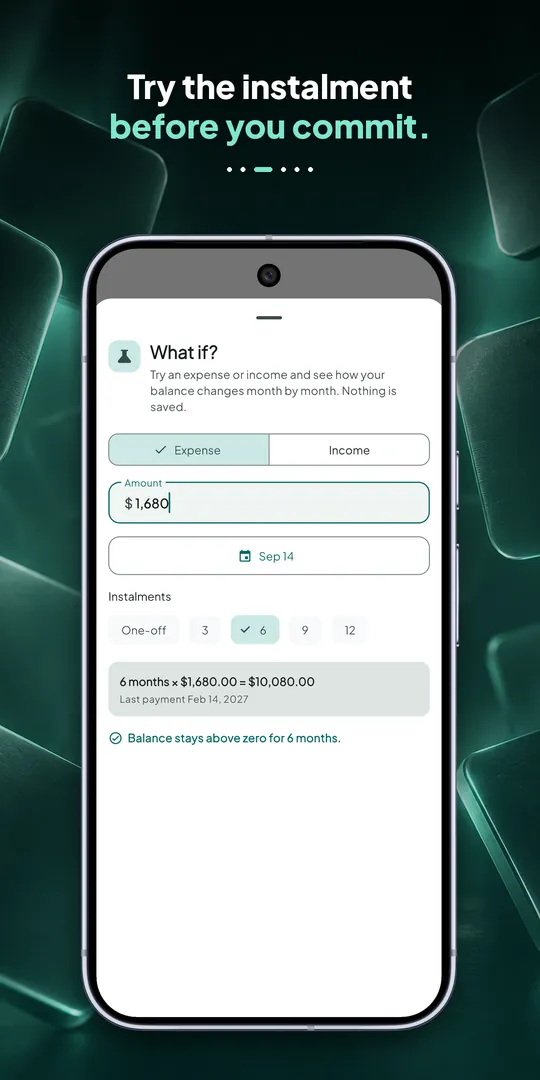
Try a purchase or an instalment plan and see each month's end balance — and the month you'd go below zero.
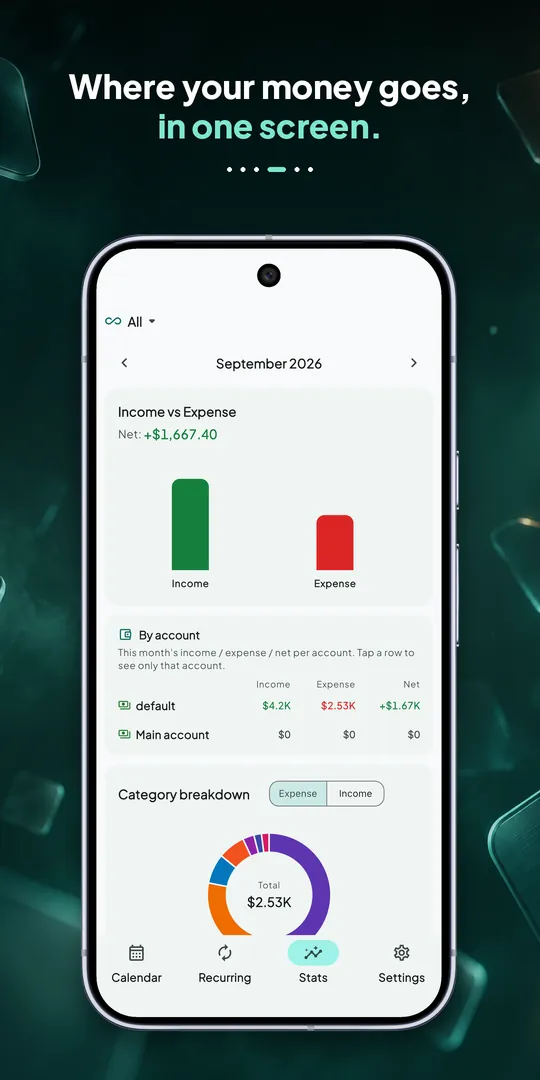
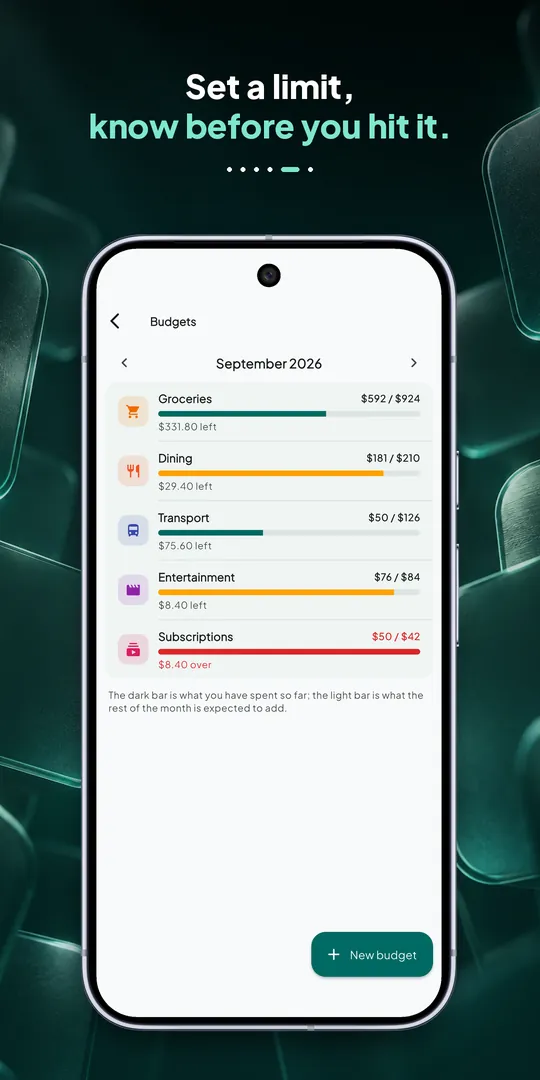
Monthly limits per category, savings goals with a forecast date, money lent and borrowed, separate cash, bank and card accounts.
“Fix balance” books the gap as unlogged spending. With too little data it says so instead of inventing a confident number.
No account, no server. Everything lives on your phone — export a JSON backup, import CSV, lock with PIN or biometrics.
How it works
Enter salary, rent, bills and subscriptions once.
Every day shows the balance you'll have, not just what you spent.
Test a purchase or instalment plan before you commit.
FAQ
No. Kalendo works fully offline with no account, no sign-up and no server. Your data stays on your phone and you can export a backup whenever you want.
Yes — the calendar, unlimited transactions and categories, recurring rules, budgets and goals, reminders, search, app lock and backup are free. Premium adds unlimited rules and goals, multiple accounts, the “What if?” simulation, advanced charts, receipt reading and CSV/PDF export.
No. Kalendo has no ads and no tracking, and nothing is sold.
Kalendo supports 52 currencies and 10 languages, with a dark theme.
Yes. Bring your history in from another app or a bank statement as a CSV file.

Free on the App Store and Google Play. See your balance on any future day.
More from Faay Tech
 Magniko3D build ideas for magnetic tiles
 ValigoPacking lists that fit the trip
 CrosshairPro crosshairs and profile codes
 WordifyMake a word puzzle, send the link
 Story BalloonTyping game with eagles
 Snake 2.0The classic snake, rebuilt
 The Blue MazeA maze game in the dark
 Which ColorColor word focus game
 Countdown & ReminderDays until your next big date